Step 1
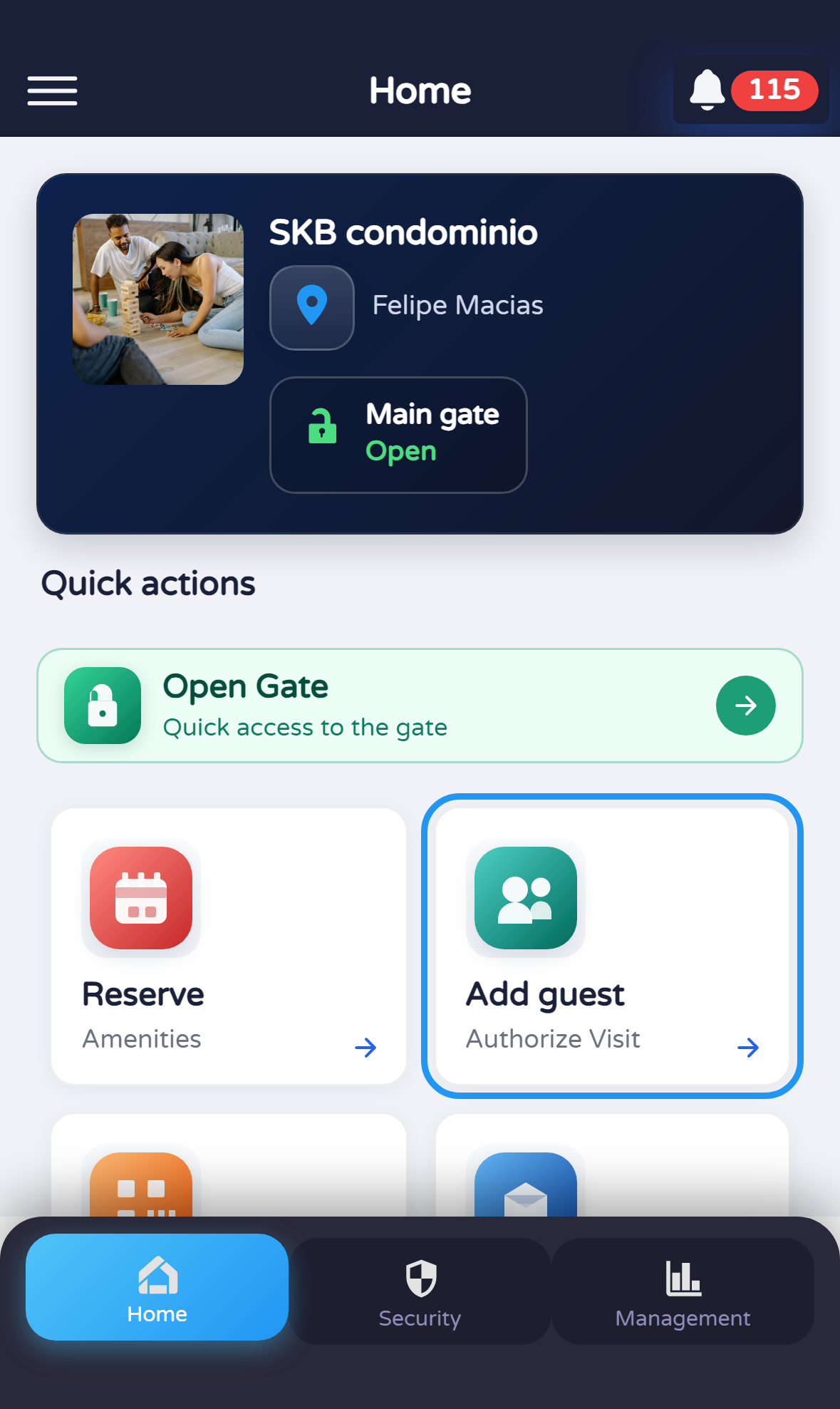
Open “Add guest” from Profile
On Profile, tap the Add guest card (or Agregar visita if the app is in Spanish).

Document version 0.0.1 · Generated 20 Apr 2026, 10:39
PDF: in the browser use Ctrl+P (or Cmd+P) → Save as PDF to share or archive.
Reference for administration staff who register authorized guests, validating unit (and identity fields when required).
Other roles: residents, tenants, and security use different registration flows.
Before you start
What you will do
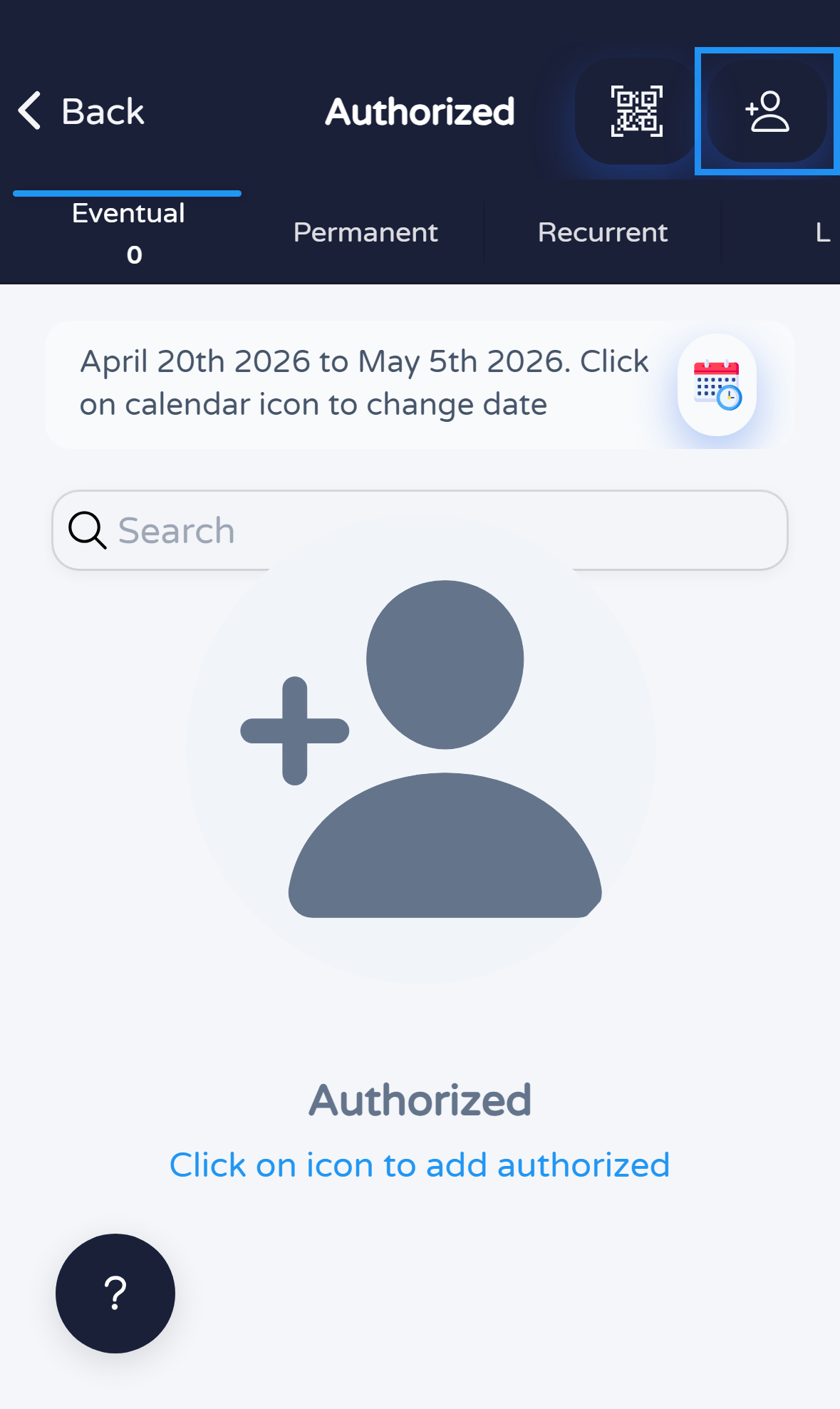
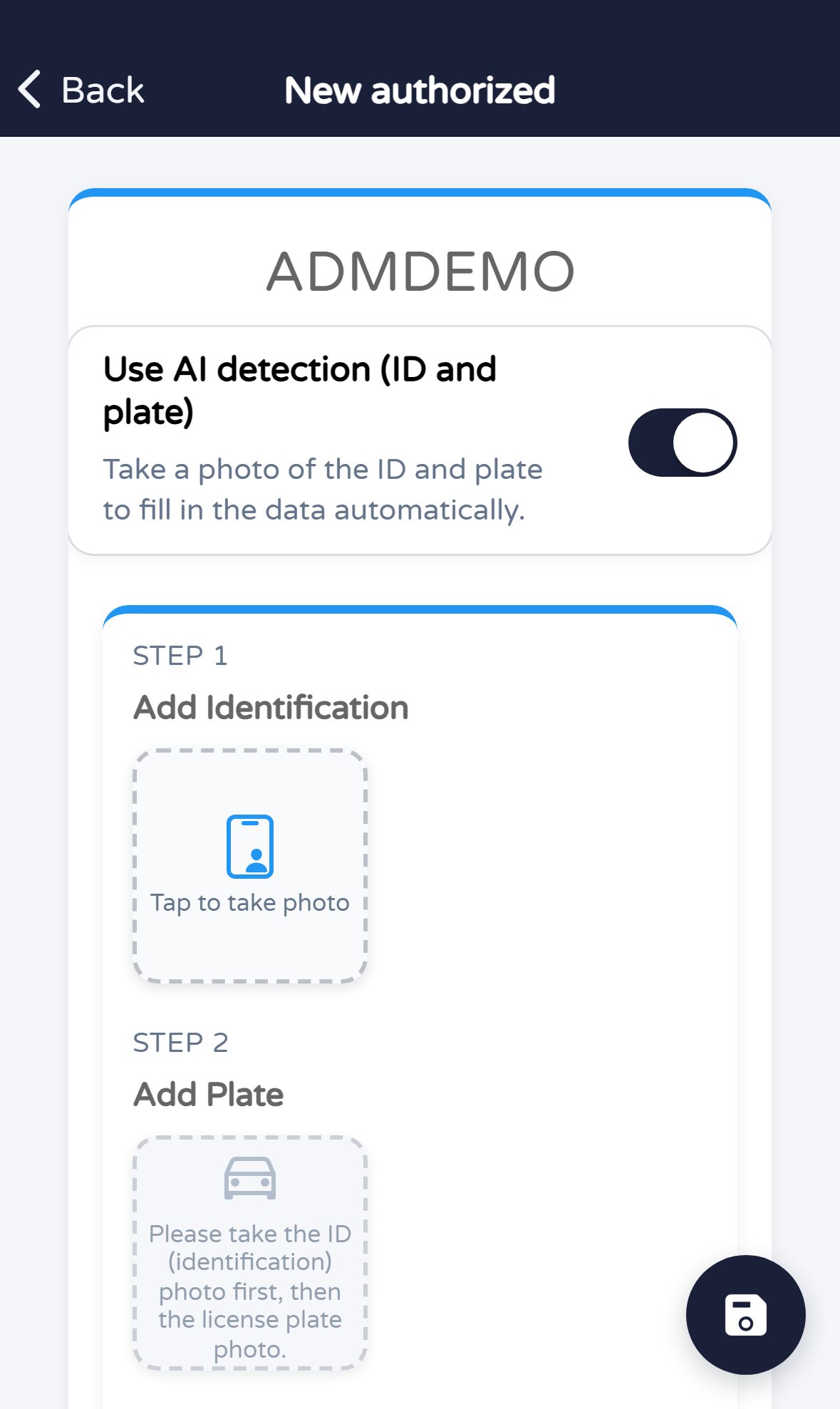
From Profile open Add guest. On Authorized, + opens the unit dialog; confirm and complete New authorized.
Steps
On Profile, tap the Add guest card (or Agregar visita if the app is in Spanish).
On Authorized, tap + in the header to start registration.
Review or enter unit and, if a second field appears (e.g. ID), fill as required. Tap Add / Agregar to continue.

Fill in the fields your community requires (guest, validity, access type, etc.) and save with the on-screen button.
Quick tips
MANUAL_ADM_FILIAL when generating screenshots.