Step 1
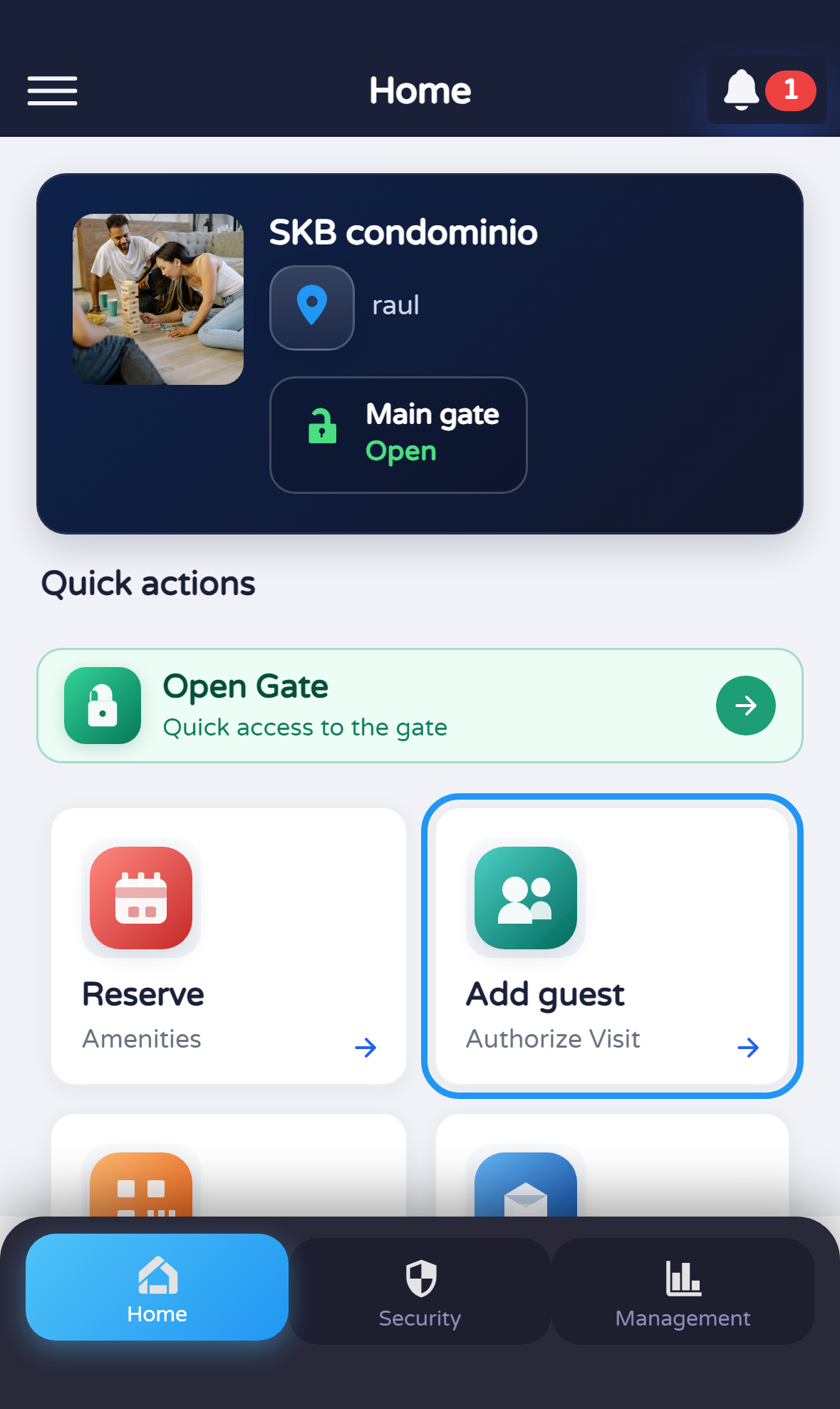
Open “Add guest” from Profile
On Profile, tap the Add guest card (or Agregar visita if the app is in Spanish).

Document version 0.0.1 · Generated 20 Apr 2026, 10:39
PDF: in the browser use Ctrl+P (or Cmd+P) → Save as PDF to share or archive.
Reference for security staff who register authorized guests linked to a resident or unit. The UI may be in English or Spanish depending on settings.
Other roles: residents and tenants use Profile flows; administration uses a unit dialog.
Before you start
What you will do
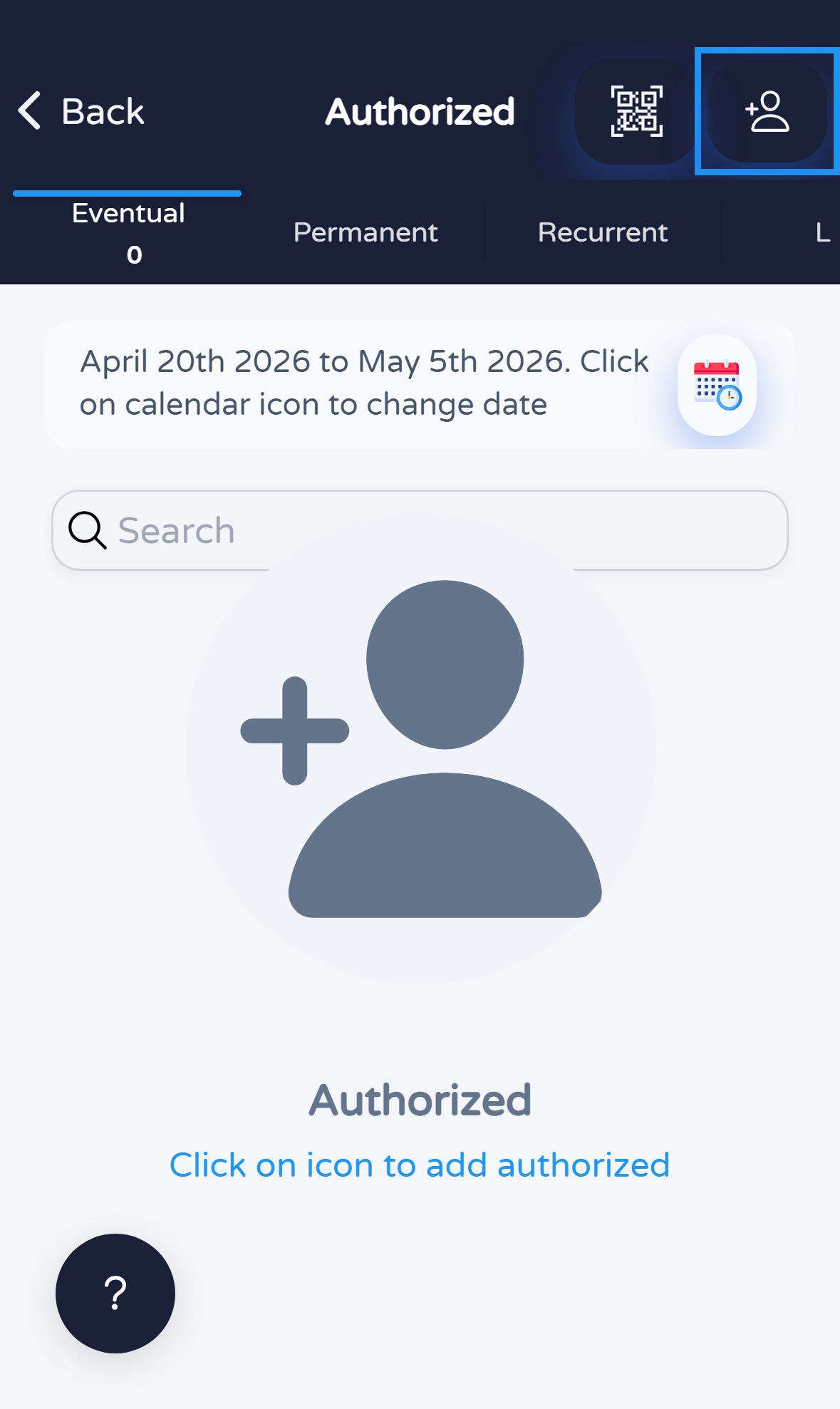
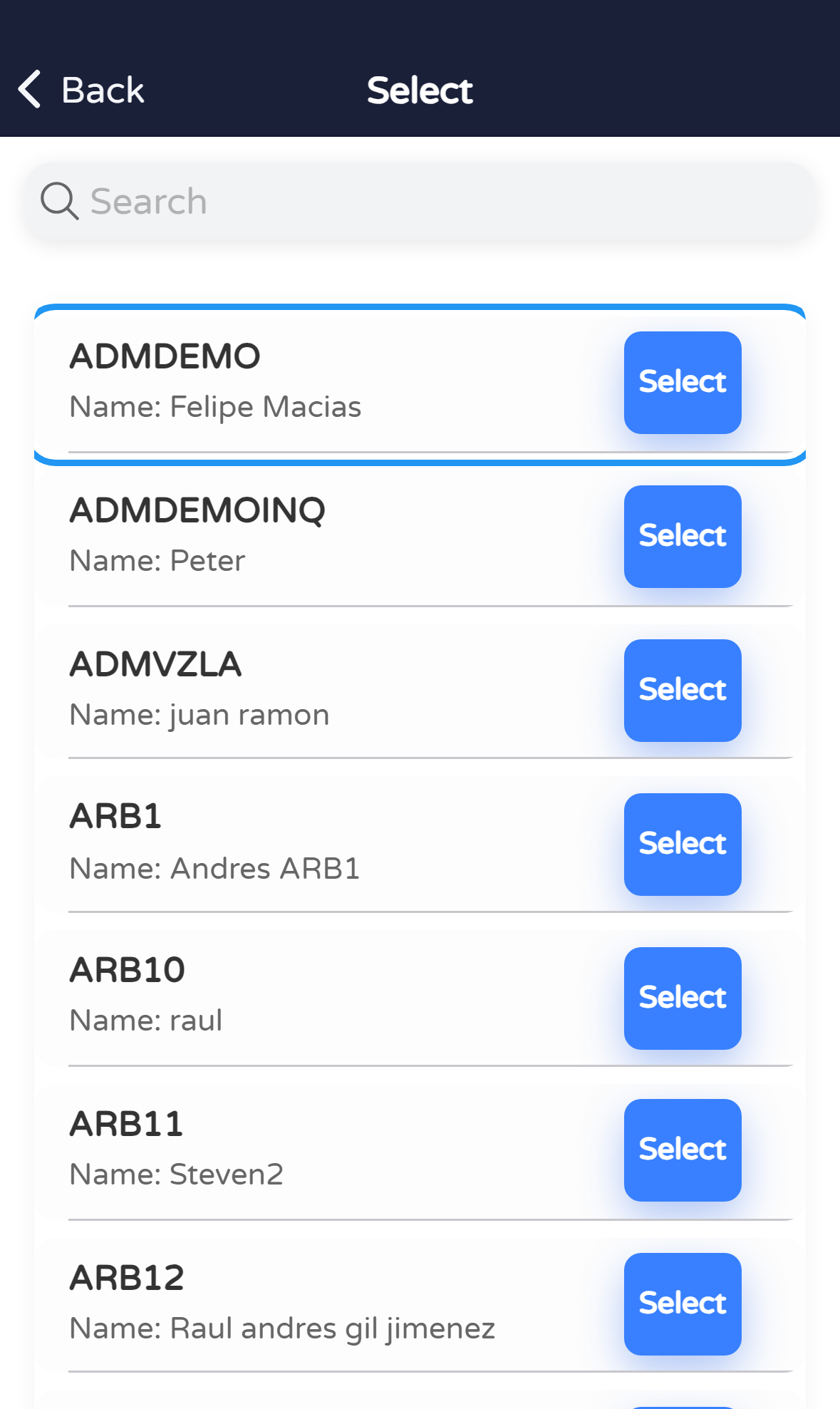
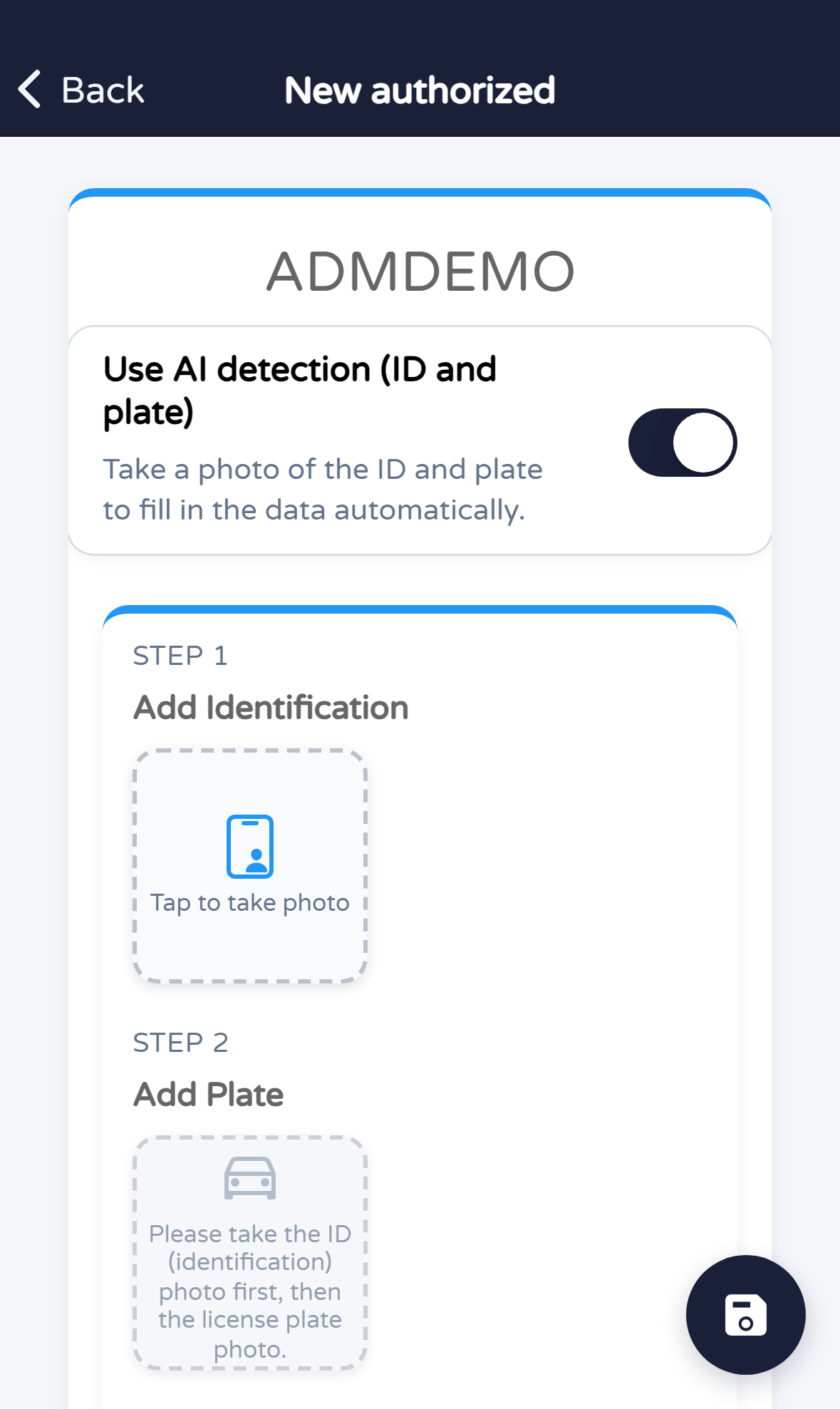
From Profile open Add guest. On Authorized, + opens resident search; select the resident and complete New authorized.
Steps
On Profile, tap the Add guest card (or Agregar visita if the app is in Spanish).
On Authorized, tap + in the header to start registration.
On the search screen, tap the resident row to continue to the registration form.
Fill in the fields your community requires (guest, validity, access type, etc.) and save with the on-screen button.
Quick tips